Room configuration
Almost everything about a room — its hardware addresses, scenes, keypad buttons, climate, shades and occupancy behaviour — is configured in the Centro backoffice and pushed down to the processor. This is where an integrator spends most of their commissioning time.
There are two configuration layers:
- On-box first-boot settings (server URL, rooms, admin-page port) — set once from the admin web page. See Installation.
- The room profile (everything on this page) — configured in Centro and pushed to the processor. Changes apply immediately, with no reboot.
Once a room's profile is complete you can save it as a template and reuse it across rooms with the same hardware layout.
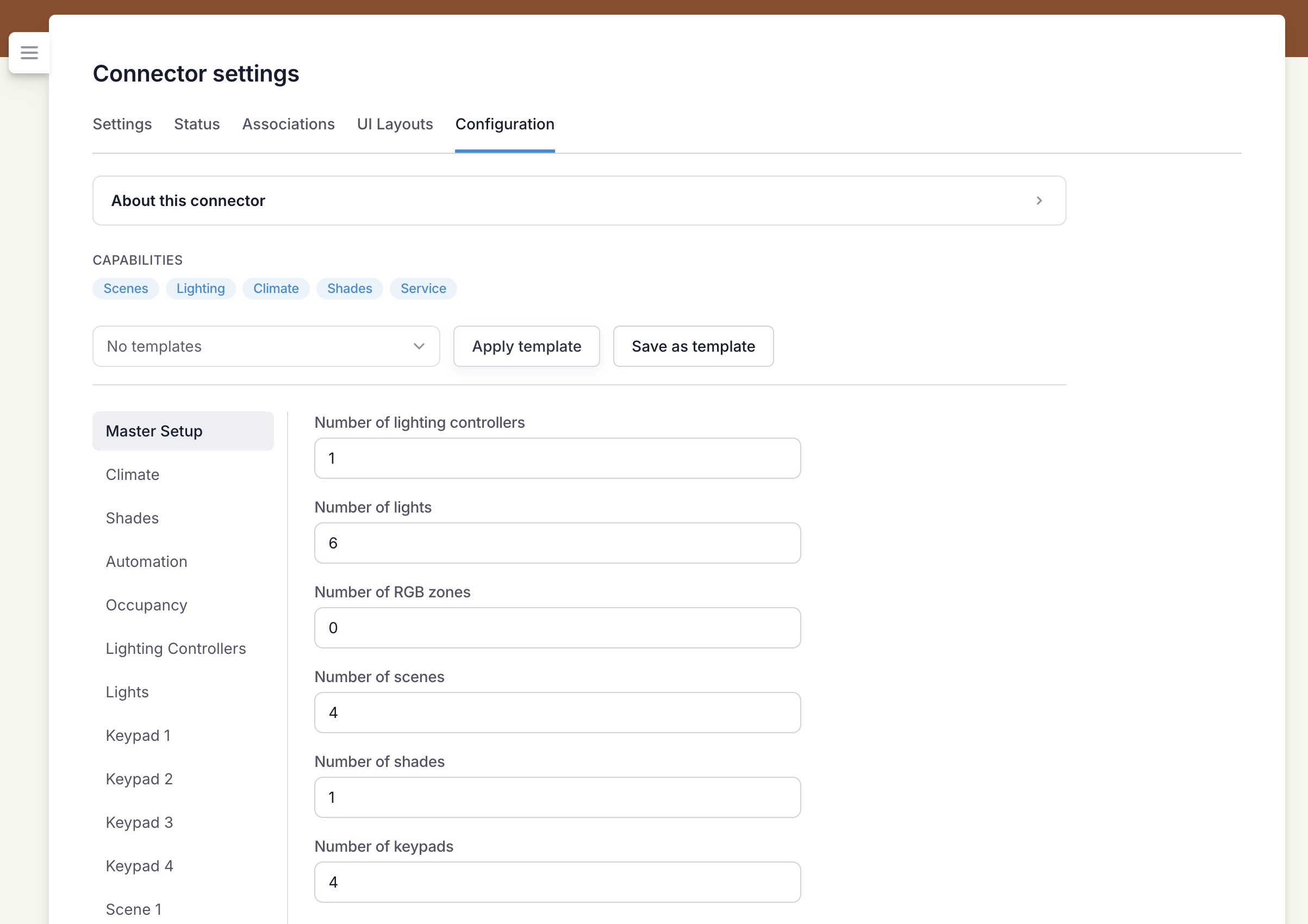
Master Setup
Start here. Master Setup holds the counts for the room, and the rest of the fields appear to match — you only see the fields you're actually using.
| Field | Meaning |
|---|---|
| Number of lighting controllers | How many Cresnet lighting controllers (max 4) |
| Number of lights | How many individual lights/loads (max 8) |
| Number of RGB zones | How many RGBW colour zones (max 4) |
| Number of scenes | How many lighting scenes (max 8) |
| Number of shades | How many shades (max 8) |
| Number of keypads | How many keypads (max 6) |
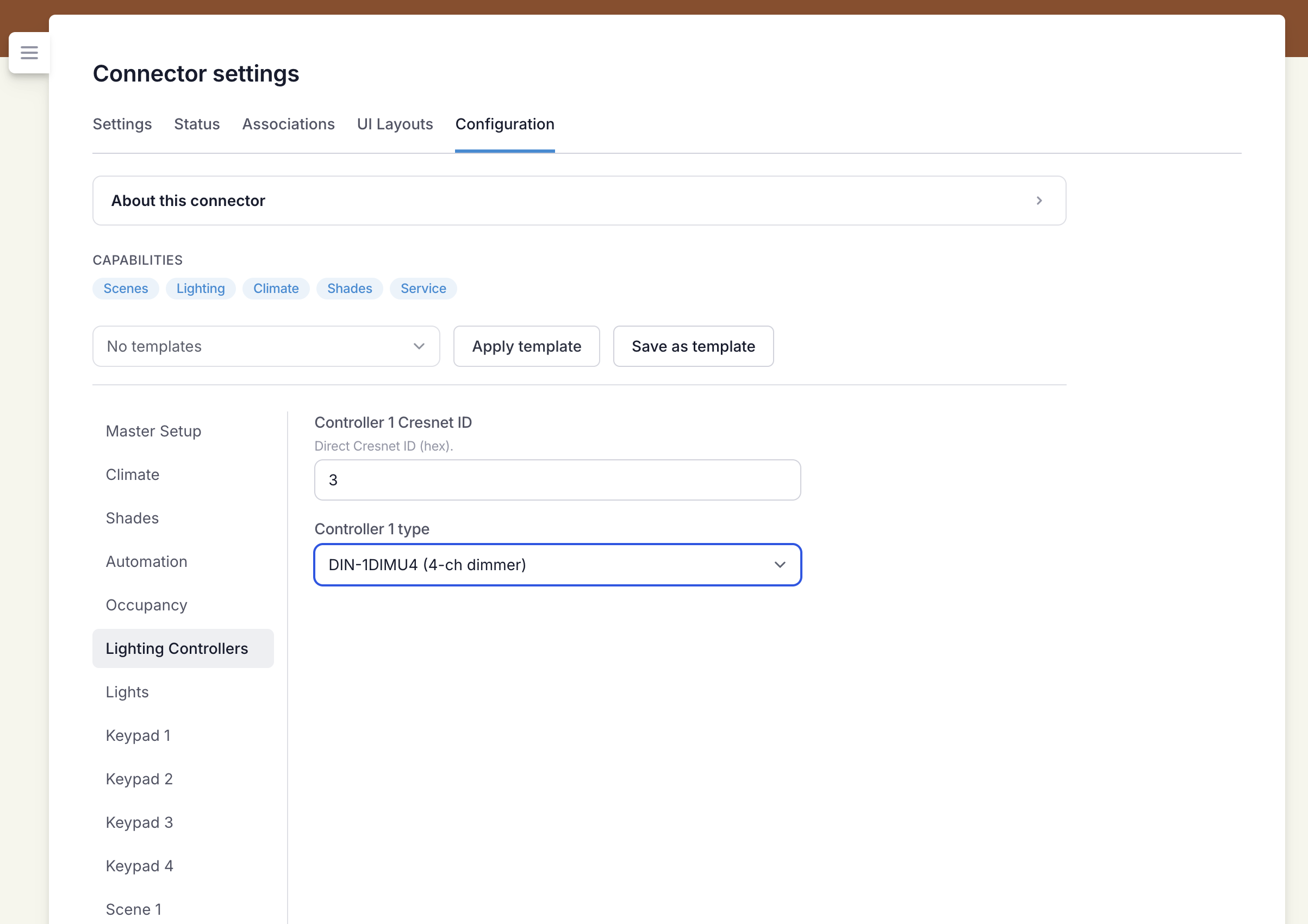
Lighting Controllers
One row per controller.
| Field | Meaning |
|---|---|
| Controller n Cresnet ID | The controller's Cresnet ID, entered in hex (e.g. 10) |
| Controller n type | DIN-AO8 (0–10V dimmer), DIN-2LEDPWM8 (RGBW), DIN-8SW8-I (switch + inputs), or DIN-1DIMU4 (4-ch dimmer) |
Lights
One row per light. A light is addressed by which controller it's on and which channel it uses.
| Field | Meaning |
|---|---|
| Light n name | Display name (e.g. "Bedside", "Ceiling") |
| Light n controller | Which controller number (1–4) this light is on |
| Light n channel | The channel on that controller |
RGB
One row per RGBW colour zone.
| Field | Meaning |
|---|---|
| RGB n name | Display name for the zone |
| RGB n controller | Which controller number the zone is on |
| RGB n base channel | The first channel of the zone — R, G, B, W = base … base+3 |
Keypads
One group per keypad.
| Field | Meaning |
|---|---|
| Keypad n Cresnet ID | The keypad's Cresnet ID, in hex |
| Keypad n model | C2N-CBD-P (Cameo) or HZ2-KPCN-B (Horizon 2) |
| Keypad n button arrangement | Horizon only — the physical button option (see below) |
| Button 1…8 | The action each button performs (see Button actions) |
Horizon button arrangements
Horizon keypads come in several physical button options. Pick the one that matches the installed keypad; the editor then shows only the button events that arrangement produces. A rocker is one engraved position but produces two button events (◀/▶).
| Option | Arrangement |
|---|---|
| 8 buttons (legacy) | 8 plain buttons (also the Cameo) |
| Option 1 | 5 buttons |
| Option 2a | 4 buttons + a rocker at position 5 |
| Option 2b | 3 buttons + a rocker at position 4, button at position 5 |
| Option 3 | 3 buttons + rockers at positions 4 and 5 |
| Option 4 | a medium rocker + 2 buttons |
| Option 5 | a large rocker |
Each button field's hint names the engraved position / rocker side it corresponds to, so you always know which physical button you're assigning.
Button actions
Every button is assigned one action:
| Action | Behaviour |
|---|---|
| None | Button does nothing |
| Recall Scene n | Recall a lighting scene |
| Shade n Up / Down / Stop | Move or stop a single shade |
| Shade n Up / Down (hold; release stops) | Move while held, stop on release |
| All Shades Up / Down / Stop | Move or stop every shade |
| All Shades Up / Down (hold; release stops) | Move all while held, stop on release |
| Toggle Lights / Lights On / Lights Off | Master lighting control |
| Lights Up / Down (tap = step, hold = ramp) | Fade lights — a tap steps once, holding ramps continuously |
Fade and shade-move actions are hold-aware: a quick tap does one step (or full travel), while holding ramps the lights or moves the shade until you let go. The tap/hold threshold and ramp speed are set under Automation.
Scenes
Scenes are defined here and advertised to guests and concierge (they appear as recallable scenes in the Centro app). Each scene has:
| Field | Meaning |
|---|---|
| Scene n name | Display name (e.g. "Welcome", "Night", "Bright") |
| Light j level % | The level (0–100%) for each light in this scene |
| RGB r colour | The colour for each RGBW zone in this scene |
Shades
| Field | Meaning |
|---|---|
| Shade n name | Display name |
| Shade pulse width (ms) | The Somfy RTS relay pulse duration |
Shades are controlled one-way (up / down / stop); there is no position feedback.
Climate
Pick the HVAC system; only that system's fields are shown.
| Field | Meaning |
|---|---|
| HVAC type | Airzone or Daikin |
| Airzone host/IP · port · system id · zone id | Airzone Local API connection (default port 3000) |
| Daikin host/IP · port | Daikin BRP Local API connection (default port 80) |
Automation
| Field | Meaning |
|---|---|
| Door open forces AC off | When on, opening the door contact forces the AC off |
| Master-on lighting scene | Scene recalled on a master lighting ON with no scene (blank = first scene) |
| Master-off lighting scene | Scene recalled on a master lighting OFF (blank = drive all circuits to 0) |
| Hold threshold (ms) | A button held longer than this is a hold; shorter is a tap |
| Hold ramp interval (ms) | How often the lighting ramps while a fade button is held |
| Hold ramp step (%) | How much the level changes per ramp tick |
Occupancy
| Field | Meaning |
|---|---|
| Occupancy sensor IP-ID | The CEN-ODT-C-POE sensor's IP-ID, in hex |
| Set back HVAC when vacant | Apply a setback temperature after the vacancy delay |
| Setback temperature (°C) | The temperature to hold while vacant |
| Turn off lights when vacant | Turn the lights off after the vacancy delay |
| Vacancy delay (minutes) | How long to wait after the room was last occupied before acting |
Good to know
- Cresnet IDs and IP-IDs are entered in hex (e.g.
10,1F). - Limits: up to 4 controllers, 8 lights, 4 RGB zones, 8 scenes, 8 shades, 6 keypads, 8 buttons per keypad.
- The processor remembers the last configuration it received, so a room still boots and runs with its scenes and hardware even if it can't reach Centro at startup.